




Spooligan Get it

Receipt #0001 · CLI + AI agents

Pretty receipts from the command line. Or from your AI agent.

Your Personal Paper Pusher.

Spooligan turns one short command, or a few lines of YAML, into a crisp receipt: lists, notes, agendas, tickets, QR codes and pictures, on any 80 mm or 58 mm USB thermal printer.

macOS 13 or later · Apple silicon and Intel · Signed and notarized installer

Linux, or a Mac terminal

curl -fsSL https://spooligan.ai/install.sh | sh

Windows is coming later.

What you get


34 blocks

Headers, checklists, tables, charts, QR codes and pictures.

One command

spooligan todo "Call mum" and it prints.

See it first

Add -o note.png to get the exact receipt as a picture.

Agent-ready

spooligan agents teaches your AI the rest.


TOTAL4 reasons

Gallery · 19 receipts

What will you print today?

Every receipt here is a real render, made by Spooligan from the command or the file under it. Tap one to zoom in.

A receipt drawn by Spooligan

#0002 · 80 MM · 576 DOTS

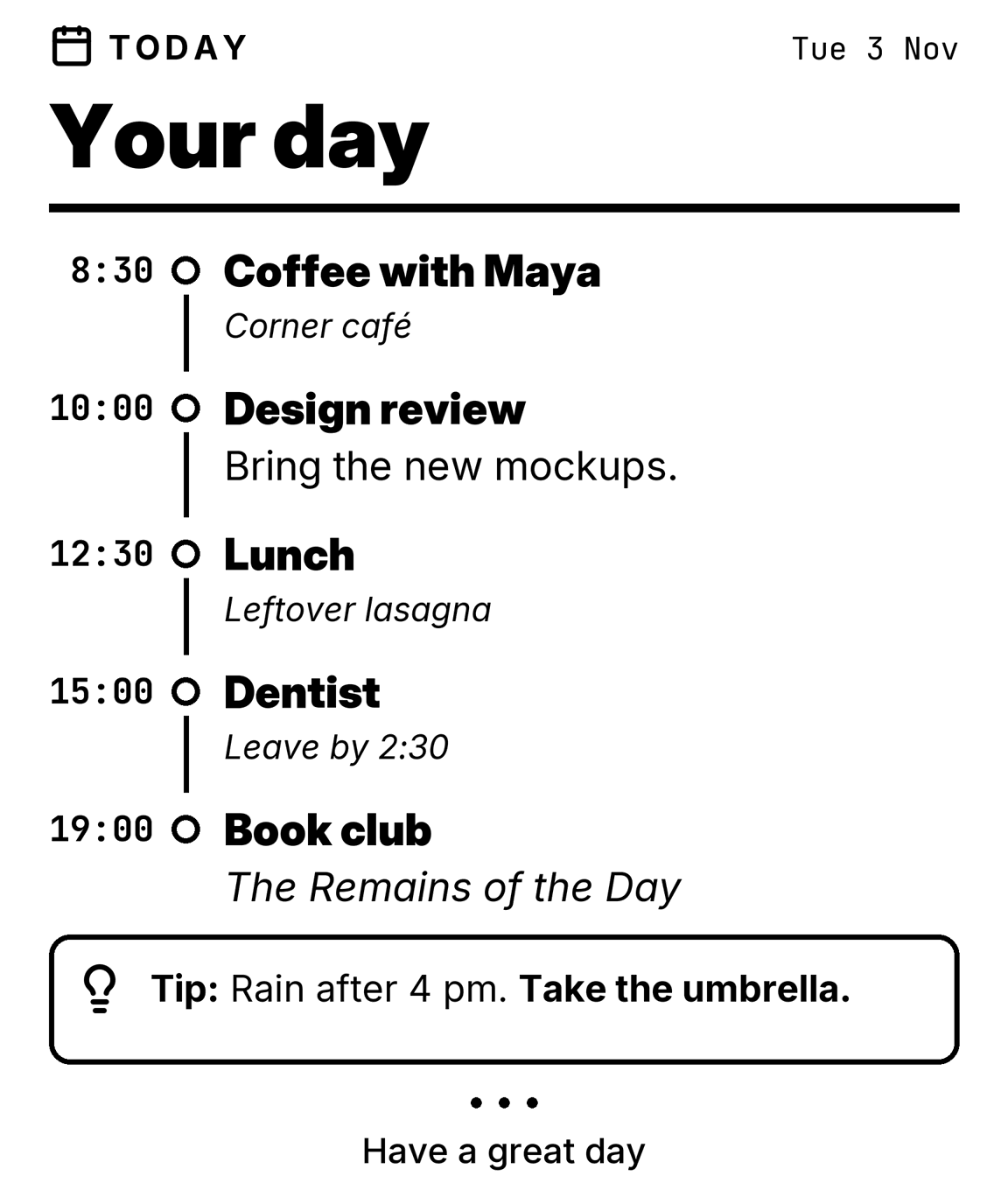
A daily agenda

Your day on one strip of paper, with a heads-up at the bottom.

spooligan print agenda.yaml
agenda.yaml
version: 1blocks:  - {type: header, icon: calendar, kicker: Today, meta: Tue 3 Nov, title: Your day}  - type: timeline    marker: time    items:      - {time: "8:30", title: Coffee with Maya, note: Corner café}      - {time: "10:00", title: Design review, text: Bring the new mockups.}      - {time: "12:30", title: Lunch, note: Leftover lasagna}      - {time: "15:00", title: Dentist, note: Leave by 2:30}      - {time: "19:00", title: Book club, text: "*The Remains of the Day*"}  - {type: callout, tone: tip, text: "Rain after 4 pm. **Take the umbrella.**"}  - {type: end, text: Have a great day}
A receipt drawn by Spooligan

#0003 · 80 MM · 576 DOTS

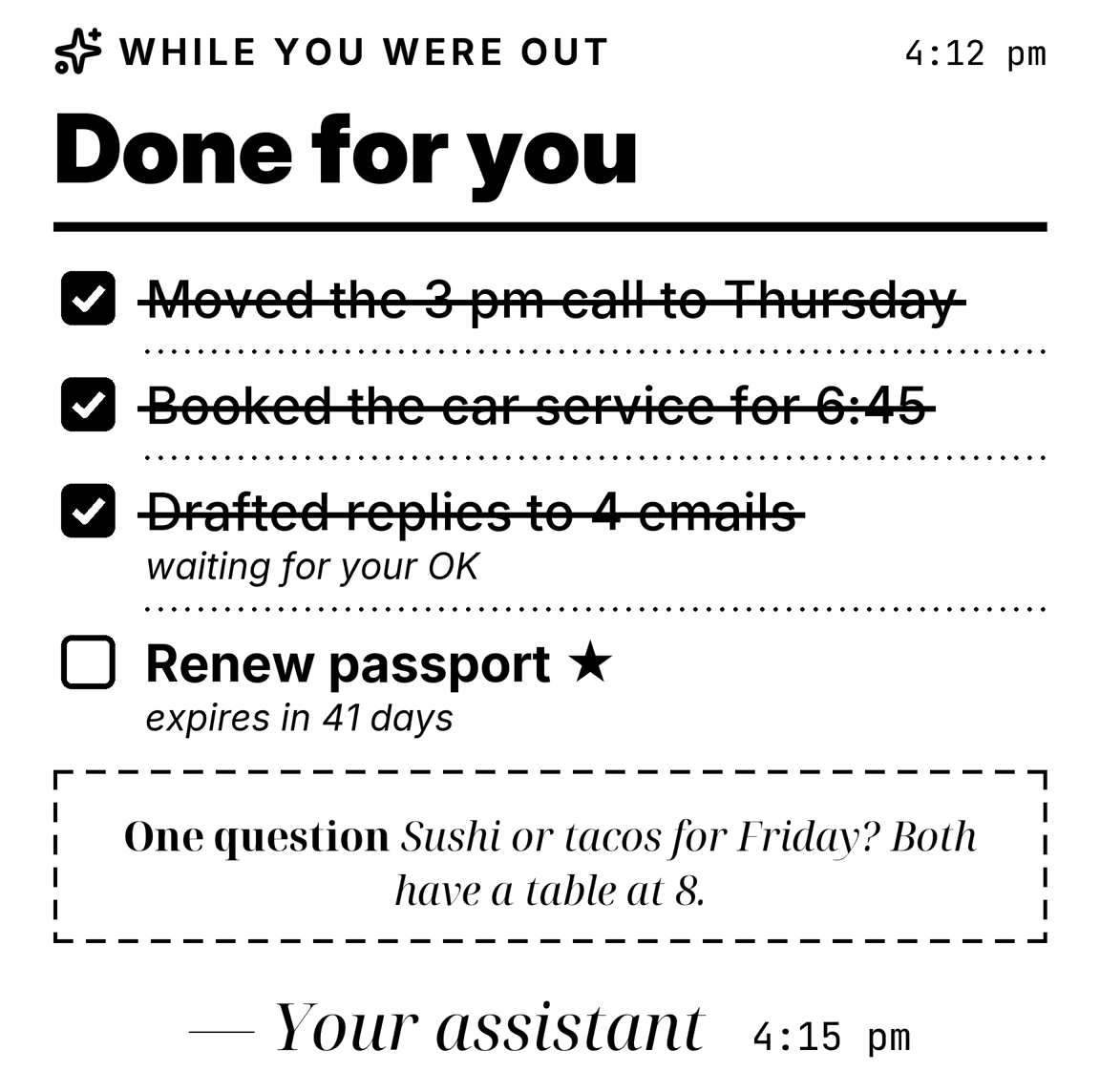
A note from your agent

Ask your AI assistant to print what it did while you were away.

spooligan print agent.yaml
agent.yaml
version: 1blocks:  - {type: header, icon: sparkles, kicker: While you were out, meta: "4:12 pm", title: Done for you}  - type: checklist    items:      - {text: Moved the 3 pm call to Thursday, done: true}      - {text: Booked the car service for 6:45, done: true}      - {text: Drafted replies to 4 emails, done: true, note: waiting for your OK}      - {text: Renew passport, priority: true, note: expires in 41 days}  - {type: callout, tone: note, title: One question, text: "Sushi or tacos for Friday? Both have a table at 8."}  - {type: signature, name: Your assistant, time: "4:15 pm"}
A receipt drawn by Spooligan

#0004 · 80 MM · 576 DOTS

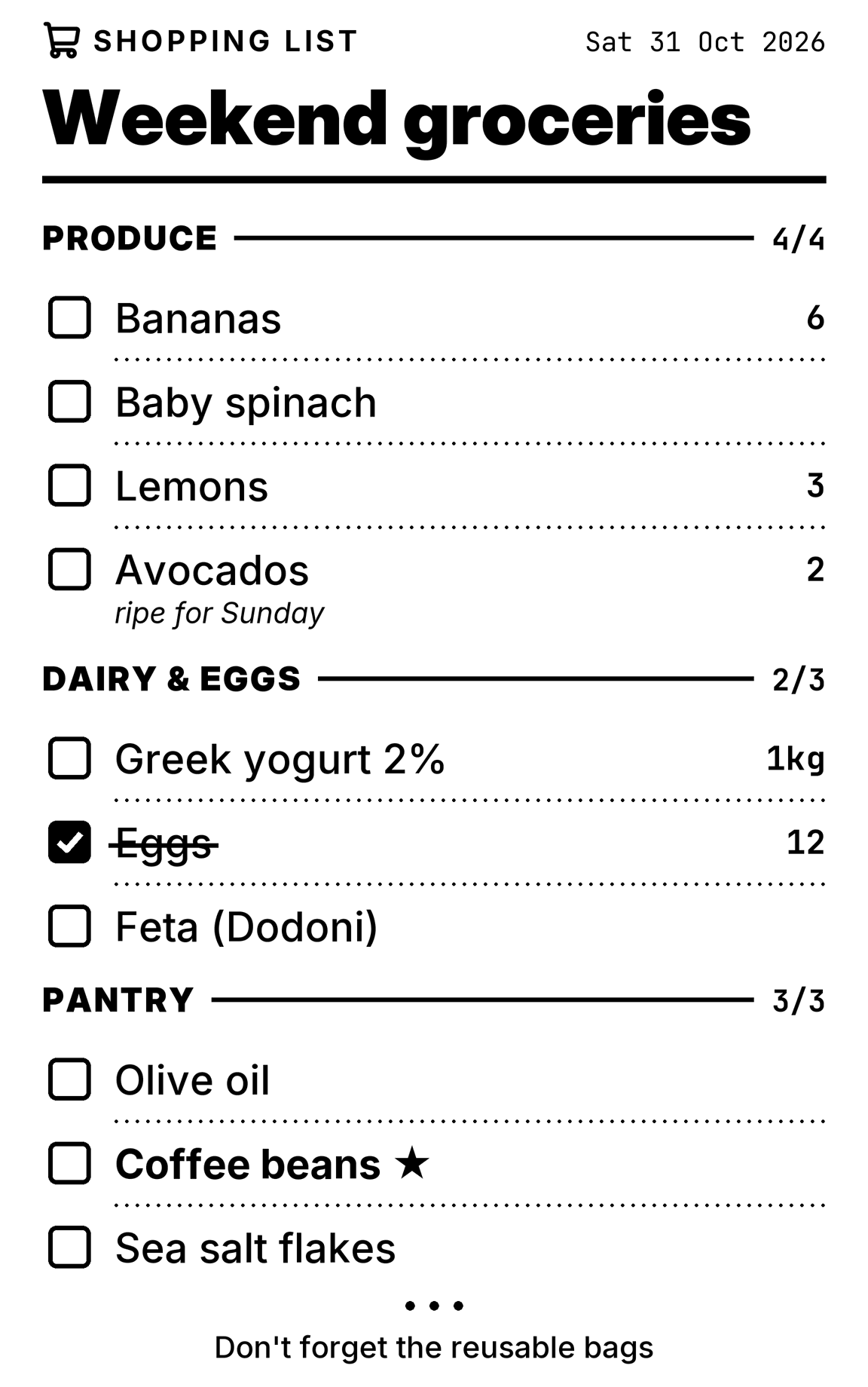
A shopping list

Sections, quantities and notes, ticked off with a pen in the store.

spooligan list --example shopping
A receipt drawn by Spooligan

#0005 · 80 MM · 576 DOTS

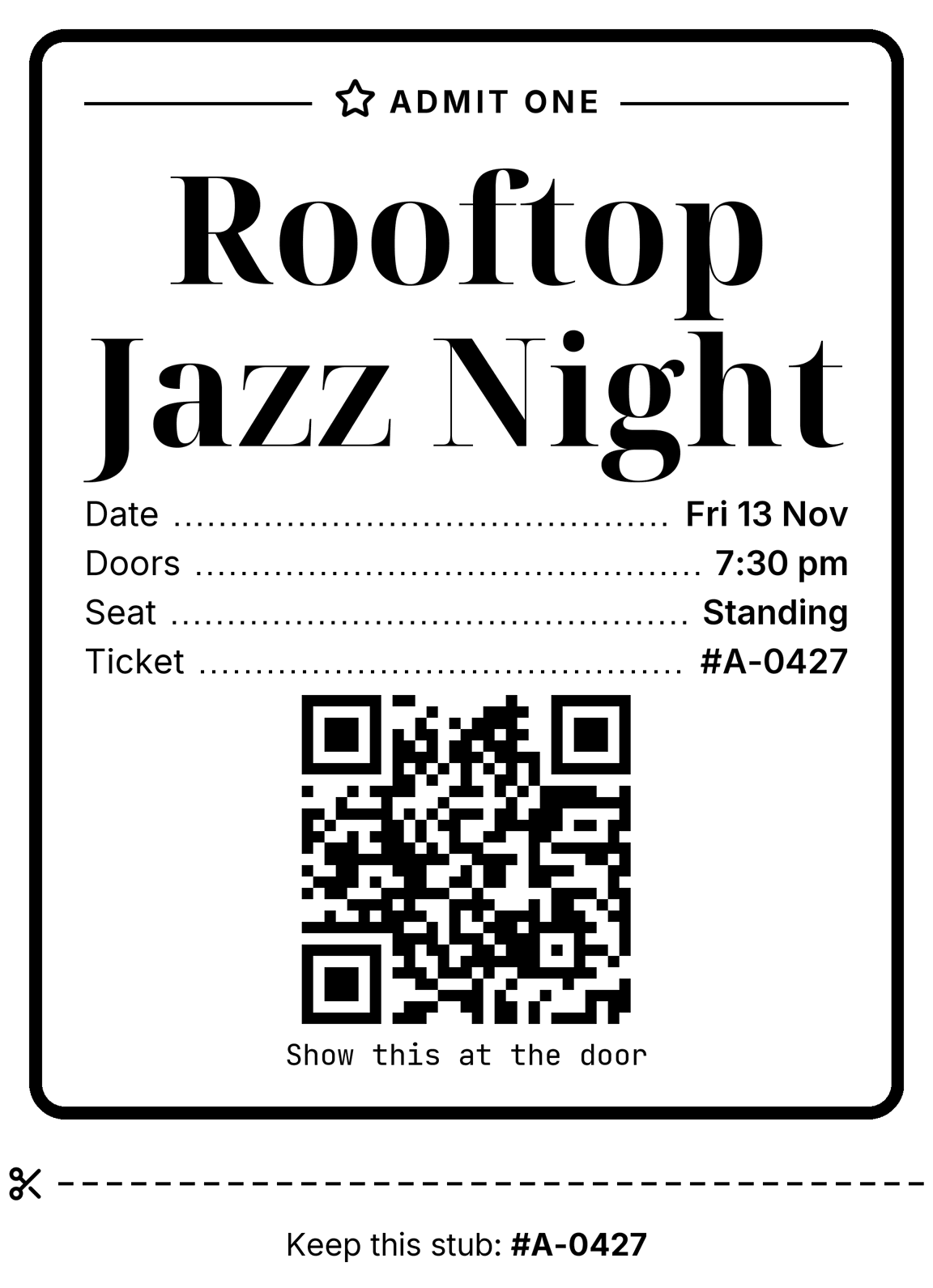
An event ticket

A framed ticket with a QR code to scan at the door, and a stub to tear off.

spooligan print ticket.yaml
ticket.yaml
version: 1blocks:  - type: frame    style: door    blocks:      - {type: kicker, text: Admit one, icon: star, style: rules, align: center}      - {type: fit, text: "Rooftop Jazz Night", lines: 2, face: serif}      - {type: kv, rows: {Date: Fri 13 Nov, Doors: "7:30 pm", Seat: Standing, Ticket: "#A-0427"}}      - {type: qr, data: "https://example.com/tickets/A-0427", size: 220, caption: Show this at the door}  - {type: cut}  - {type: text, text: "Keep this stub: **#A-0427**", align: center, size: s}
A receipt drawn by Spooligan

#0006 · 80 MM · 576 DOTS

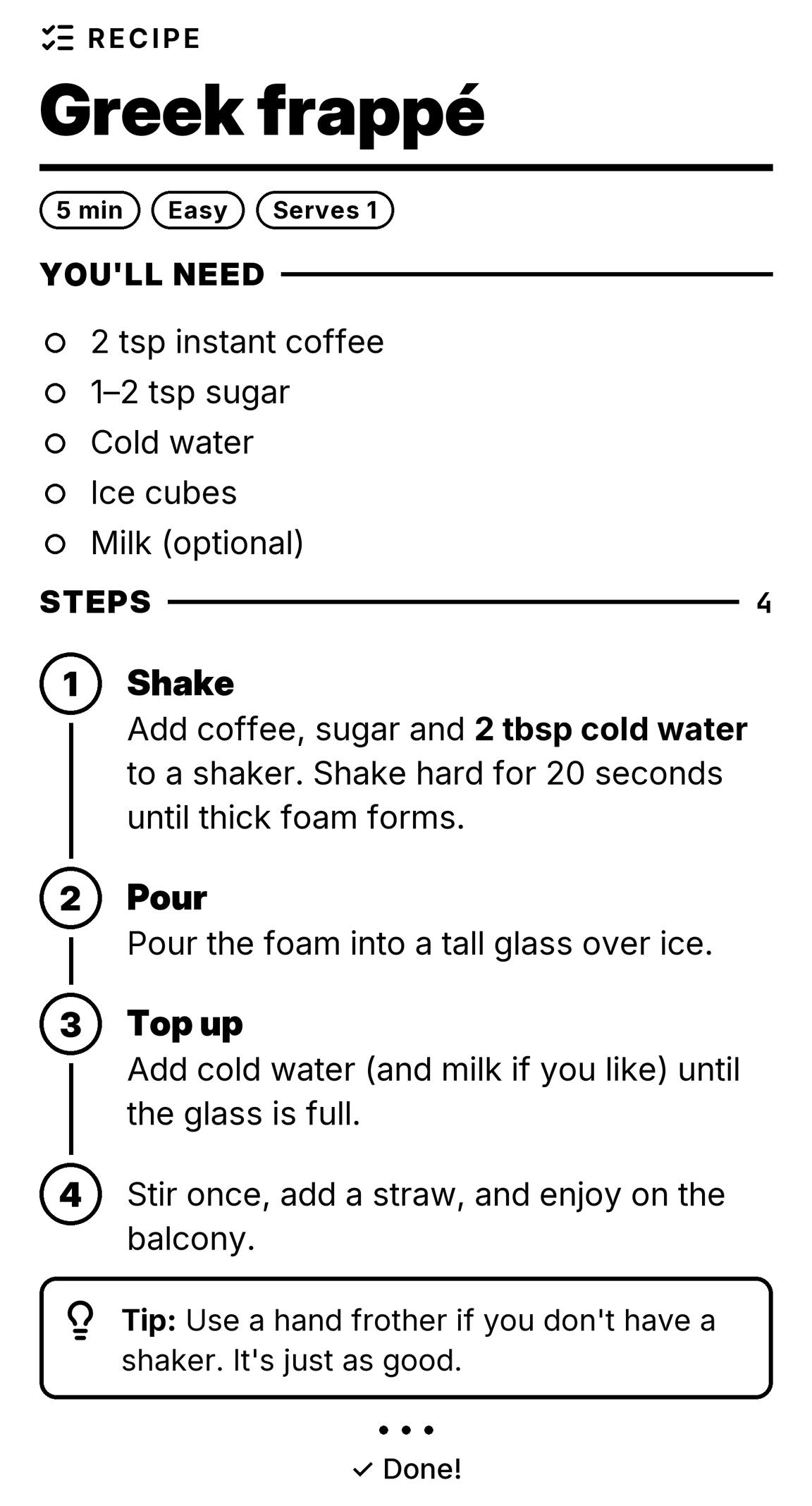
A recipe card

Ingredients and numbered steps, to stick on the cupboard while you cook.

spooligan steps --example recipe
A receipt drawn by Spooligan

#0007 · 80 MM · 576 DOTS

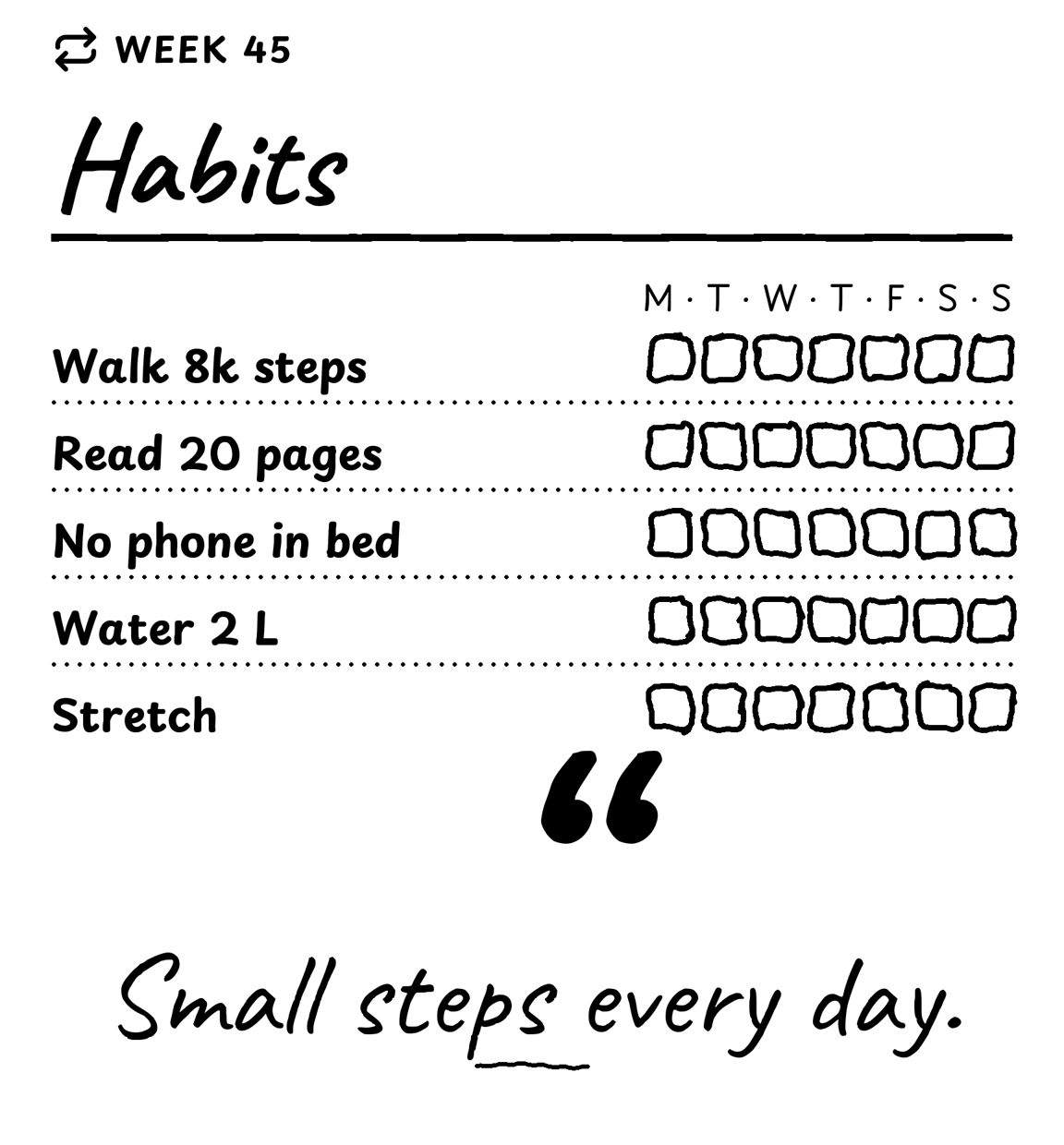
A habit tracker

A week of boxes to tick, in the handwritten style.

spooligan print habits.yaml
habits.yaml
version: 1style: handwrittenblocks:  - {type: header, icon: repeat, kicker: Week 45, title: Habits}  - {type: text, text: M · T · W · T · F · S · S, align: right, size: s}  - type: tracker    marks: box    items:      - {text: Walk 8k steps, count: 7}      - {text: Read 20 pages, count: 7}      - {text: No phone in bed, count: 7}      - {text: Water 2 L, count: 7}      - {text: Stretch, count: 7}  - {type: quote, text: Small steps every day.}
A receipt drawn by Spooligan

#0008 · 80 MM · 576 DOTS

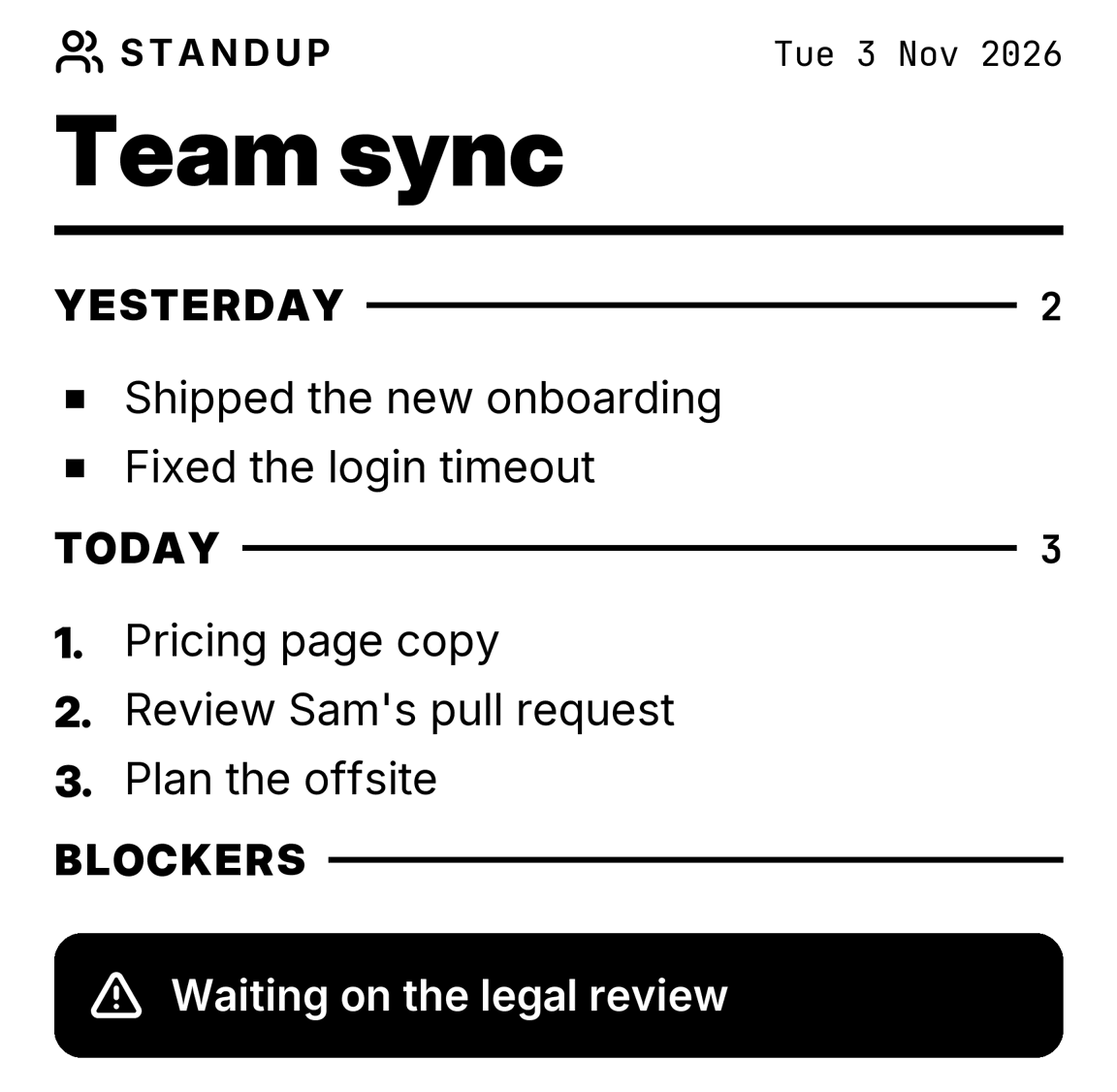
Standup notes

Yesterday, today and blockers, printed before the meeting.

spooligan print standup.yaml
standup.yaml
version: 1blocks:  - {type: header, icon: users, kicker: Standup, meta: true, title: Team sync}  - {type: section, text: Yesterday, count: auto}  - {type: list, items: [Shipped the new onboarding, Fixed the login timeout]}  - {type: section, text: Today, count: auto}  - {type: list, marker: number, items: [Pricing page copy, Review Sam's pull request, Plan the offsite]}  - {type: section, text: Blockers}  - {type: callout, tone: alert, text: Waiting on the legal review}
A receipt drawn by Spooligan

#0009 · 80 MM · 576 DOTS

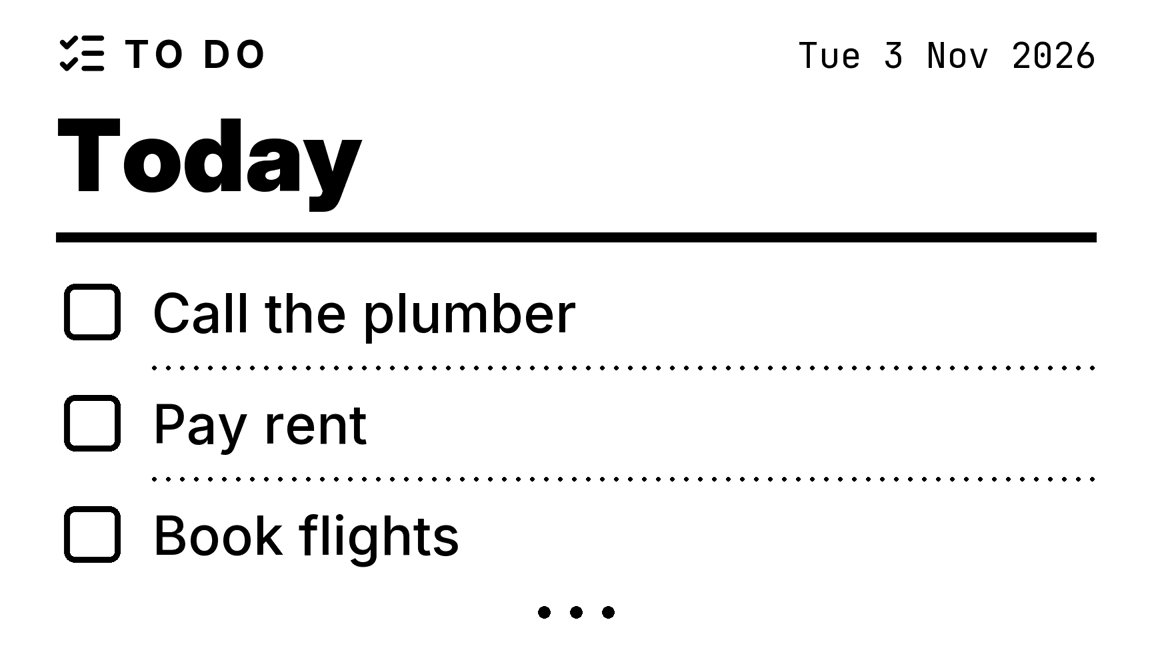
A to-do list

Three words and a title, straight from the terminal.

spooligan todo "Call the plumber" "Pay rent" "Book flights" --title Today
A receipt drawn by Spooligan

#0010 · 80 MM · 576 DOTS

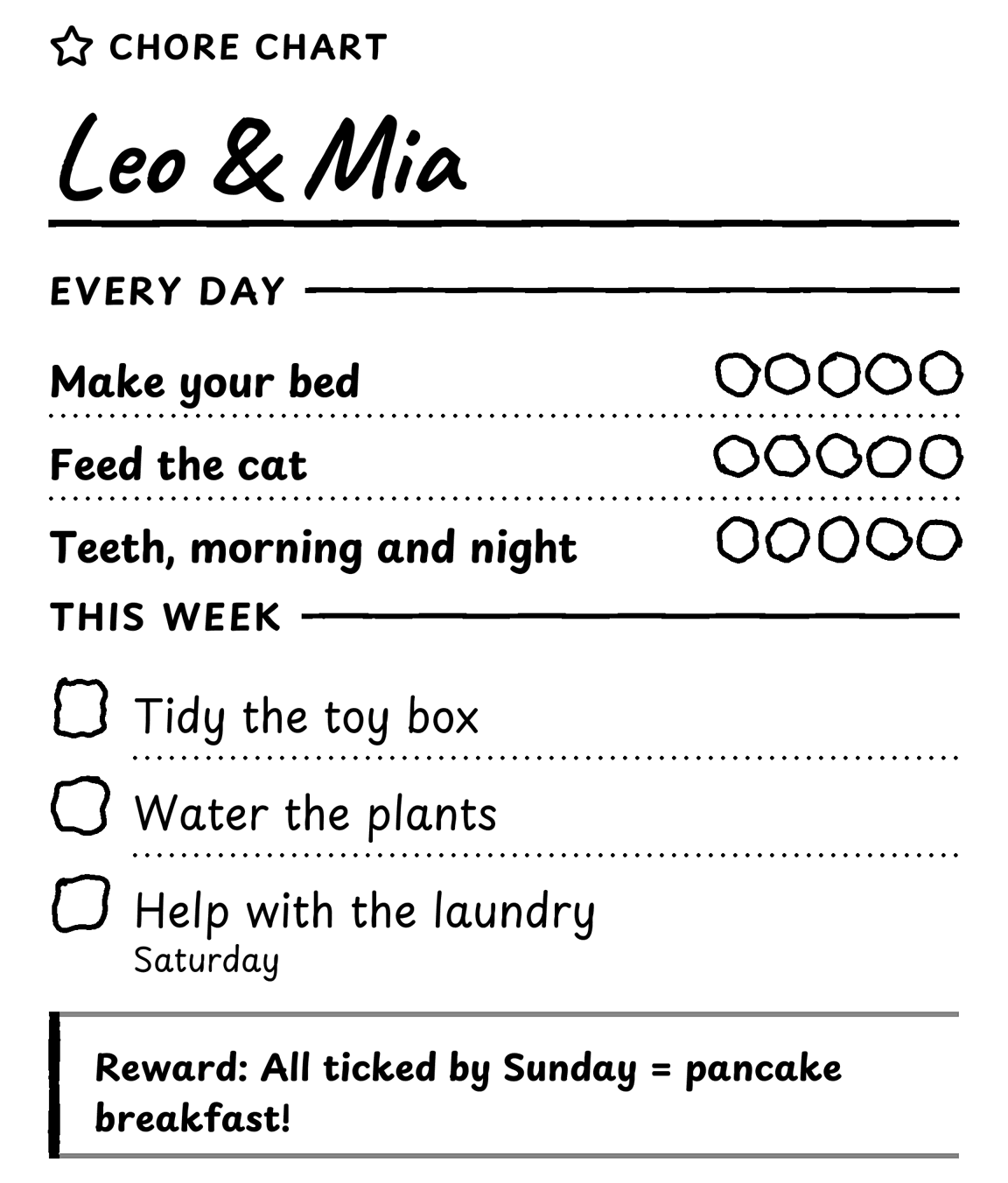
A chore chart

Tick a circle a day. The handwritten style makes it feel homemade.

spooligan print chores.yaml
chores.yaml
version: 1style: handwrittenblocks:  - {type: header, icon: star, kicker: Chore chart, title: "Leo & Mia"}  - {type: section, text: Every day}  - type: tracker    items:      - {text: Make your bed, count: 5}      - {text: Feed the cat, count: 5}      - {text: "Teeth, morning and night", count: 5}  - {type: section, text: This week}  - type: checklist    items: [Tidy the toy box, Water the plants, {text: Help with the laundry, note: Saturday}]  - {type: callout, tone: goal, title: Reward, text: "All ticked by Sunday = **pancake breakfast!**"}
A receipt drawn by Spooligan

#0011 · 80 MM · 576 DOTS

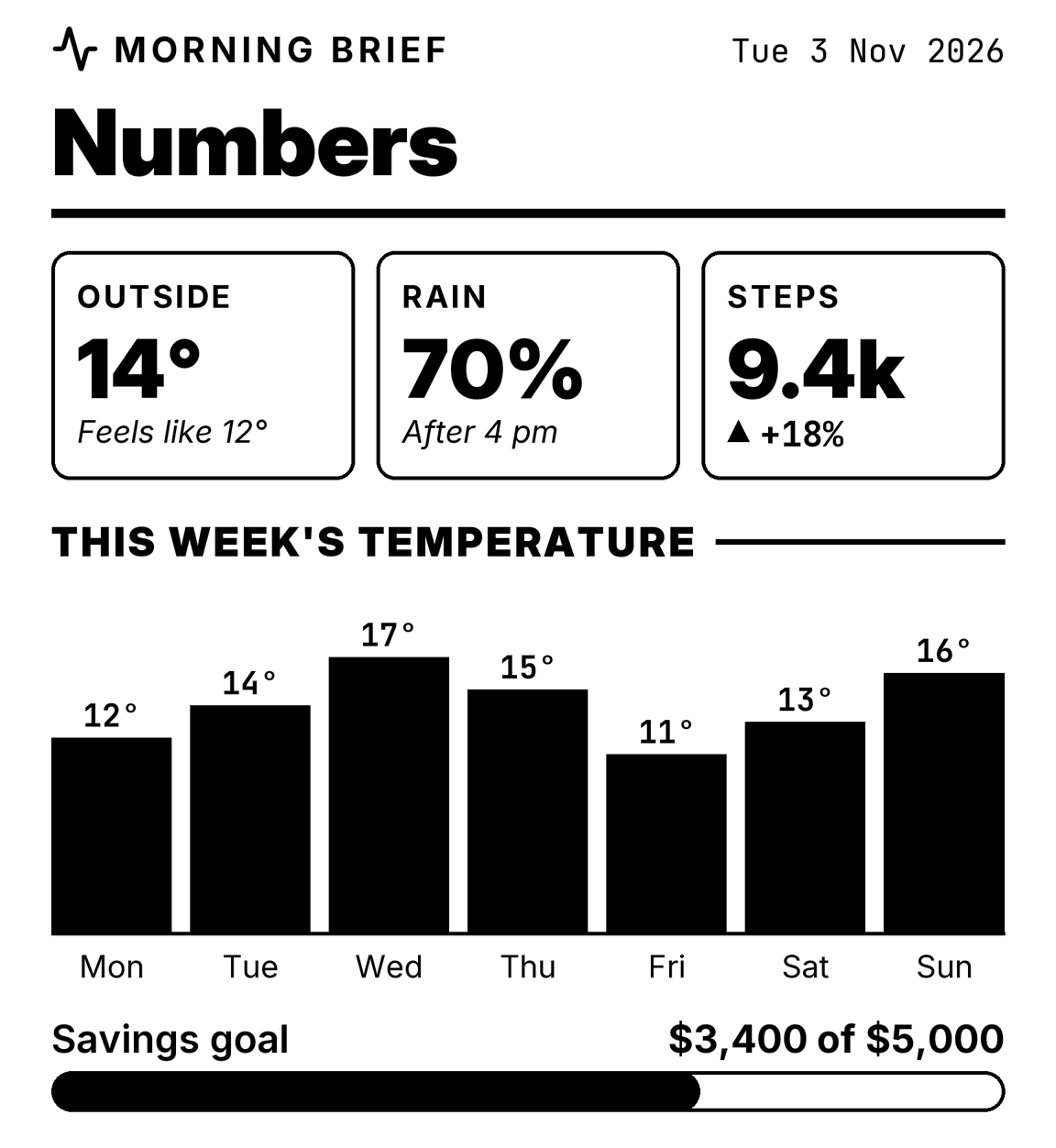
Weather and numbers

Big numbers, a chart and a progress bar for a morning brief.

spooligan print weather.yaml
weather.yaml
version: 1blocks:  - {type: header, icon: activity, kicker: Morning brief, meta: true, title: Numbers}  - type: metric    items:      - {label: Outside, value: "14°", note: Feels like 12°}      - {label: Rain, value: 70%, note: After 4 pm}      - {label: Steps, value: 9.4k, delta: +18%}  - {type: section, text: This week's temperature}  - type: chart    kind: columns    unit: "°"    data: [{label: Mon, value: 12}, {label: Tue, value: 14}, {label: Wed, value: 17}, {label: Thu, value: 15}, {label: Fri, value: 11}, {label: Sat, value: 13}, {label: Sun, value: 16}]  - {type: progress, label: Savings goal, value: 68, text: "$3,400 of $5,000"}
A receipt drawn by Spooligan

#0012 · 80 MM · 576 DOTS

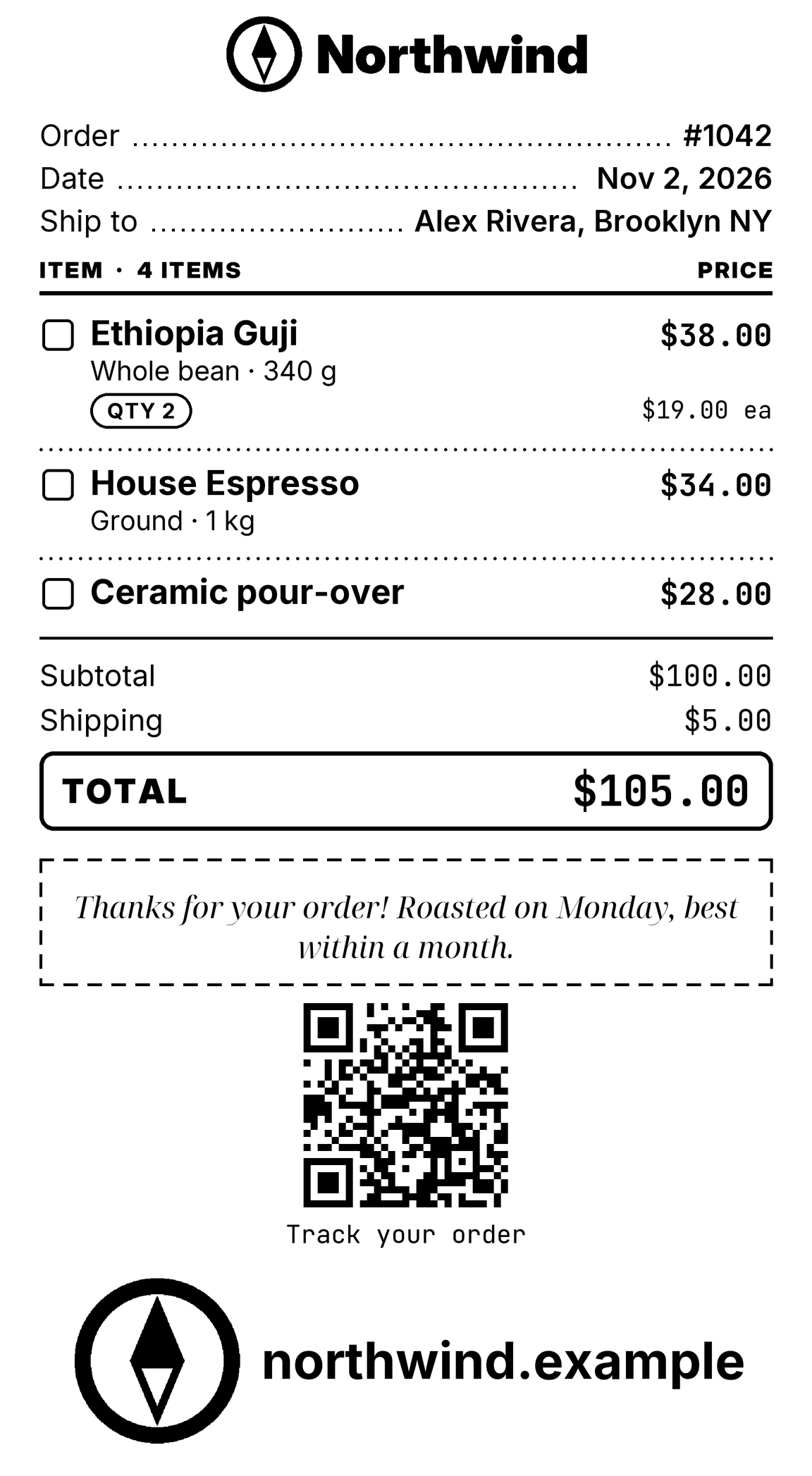
A packing slip

A brand kit adds the logo, and a QR code links to the order.

spooligan print order.yaml
order.yaml
version: 1brand: northwindblocks:  - {type: logo, width: 260}  - {type: kv, rows: {Order: "#1042", Date: "Nov 2, 2026", Ship to: "Alex Rivera, Brooklyn NY"}}  - type: line-items    shipping: 5    items:      - {name: Ethiopia Guji, meta: Whole bean · 340 g, price: 19, qty: 2}      - {name: House Espresso, meta: Ground · 1 kg, price: 34}      - {name: Ceramic pour-over, price: 28}  - {type: callout, tone: note, text: "Thanks for your order! Roasted on Monday, best within a month."}  - {type: qr, data: "https://example.com/orders/1042", size: 160, caption: Track your order}  - {type: logo, show: mark}
A receipt drawn by Spooligan

#0013 · 80 MM · 576 DOTS

A note for the door

Big text set as large as it fits.

spooligan note --example door
A receipt drawn by Spooligan

#0014 · 80 MM · 576 DOTS

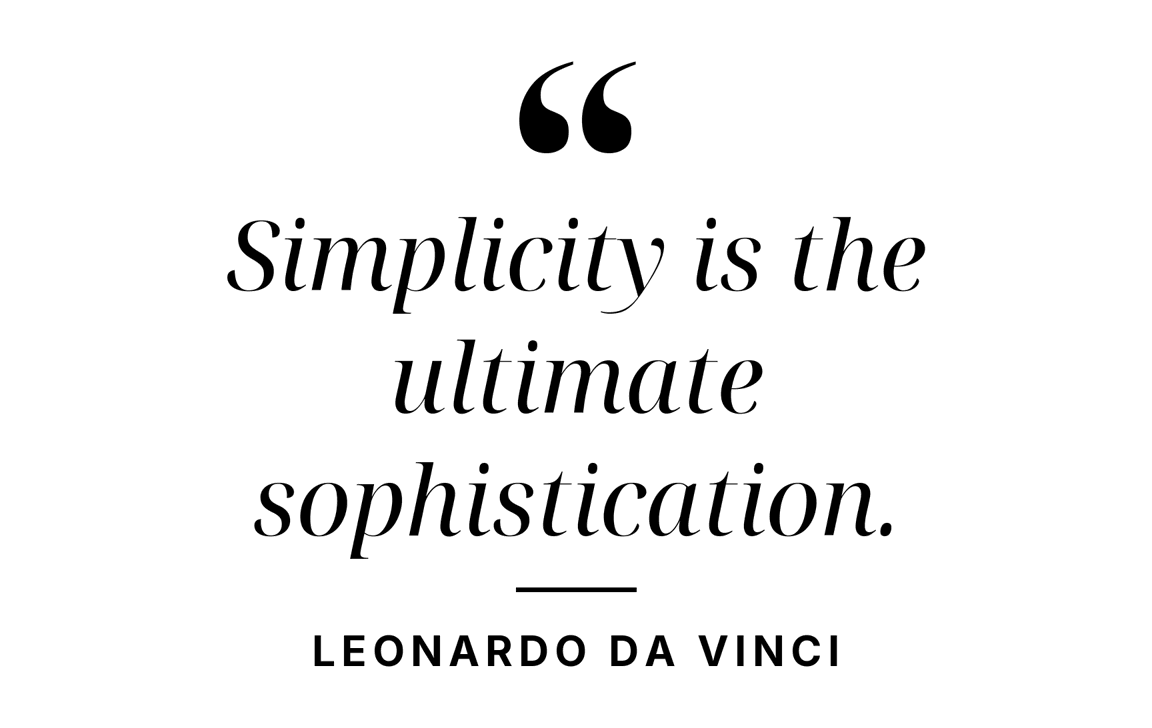
A quote

Serif italics set to fit, with who said it.

spooligan quote "Simplicity is the ultimate sophistication." author="Leonardo da Vinci"
A receipt drawn by Spooligan

#0015 · 80 MM · 576 DOTS

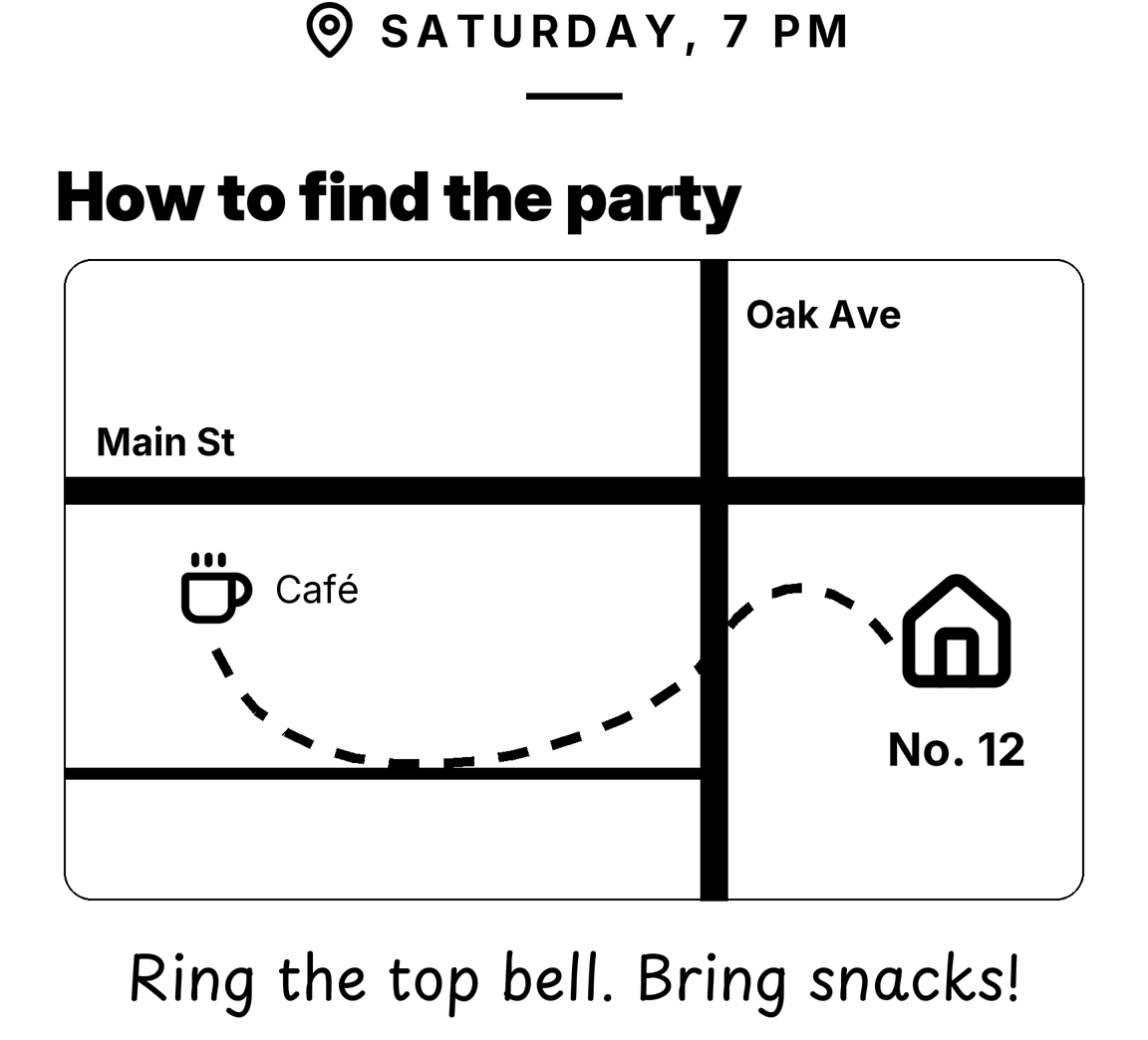
A map to the party

Streets, a dashed route and a house, drawn with lines, curves and icons.

spooligan print map.yaml
map.yaml
version: 1blocks:  - {type: kicker, text: "Saturday, 7 pm", icon: map-pin}  - {type: heading, text: How to find the party}  - type: draw    view: [520, 330]    shapes:      - {shape: rect, x: 4, y: 4, w: 512, h: 322, radius: 14, stroke: thin}      - {shape: line, points: [[4, 120], [516, 120]], stroke: 14}      - {shape: line, points: [[330, 4], [330, 326]], stroke: 14}      - {shape: line, points: [[4, 262], [330, 262]], stroke: 6}      - {shape: text, x: 20, y: 84, text: Main St, size: s, font: bold}      - {shape: text, x: 346, y: 20, text: Oak Ave, size: s, font: bold}      - {shape: icon, x: 60, y: 150, icon: coffee, size: 40}      - {shape: text, x: 110, y: 158, text: Café, size: s}      - {shape: path, d: "M 80 200 C 120 300 300 250 330 200 S 400 170 418 196", stroke: bold, dash: true}      - {shape: icon, x: 452, y: 160, icon: house, size: 64, align: center}      - {shape: text, x: 452, y: 236, text: "No. 12", size: m, font: bold, align: center}  - {type: text, text: "Ring the top bell. Bring snacks!", align: center, face: hand, size: l}
A receipt drawn by Spooligan

#0016 · 80 MM · 576 DOTS

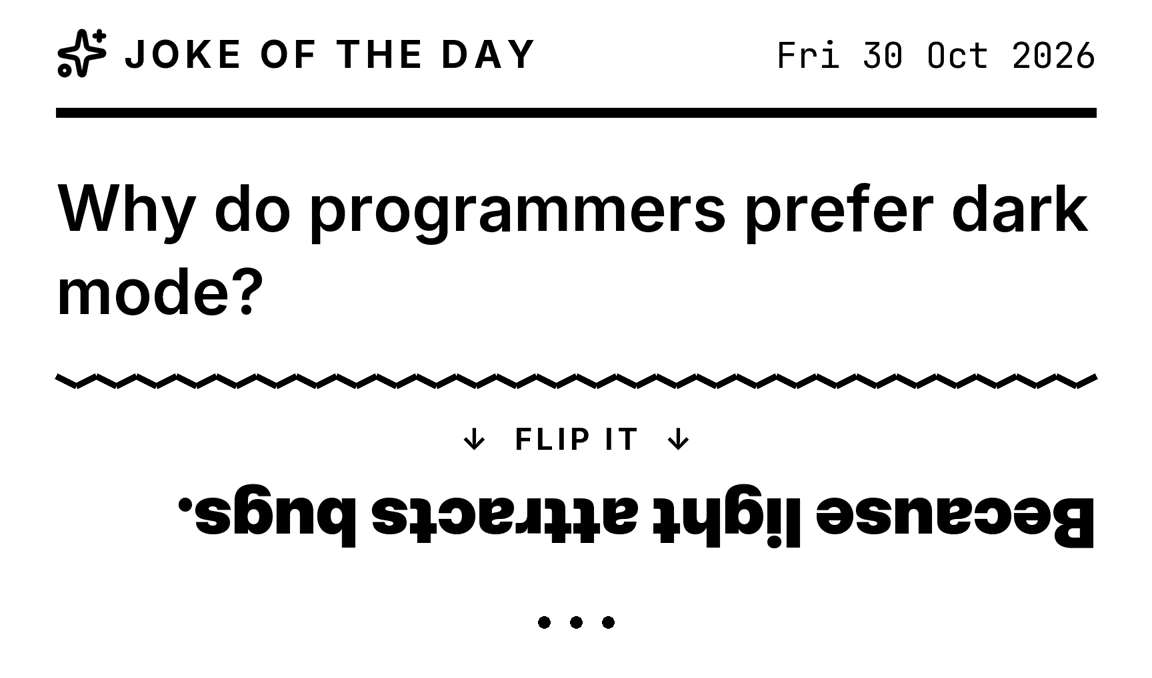
A joke

The punchline prints upside down under a zigzag.

spooligan joke --example joke
A receipt drawn by Spooligan

#0017 · 80 MM · 576 DOTS

An appointment crib sheet

Who, when and where, your questions, and lines for notes.

spooligan crib --example medical
A receipt drawn by Spooligan

#0018 · 80 MM · 576 DOTS

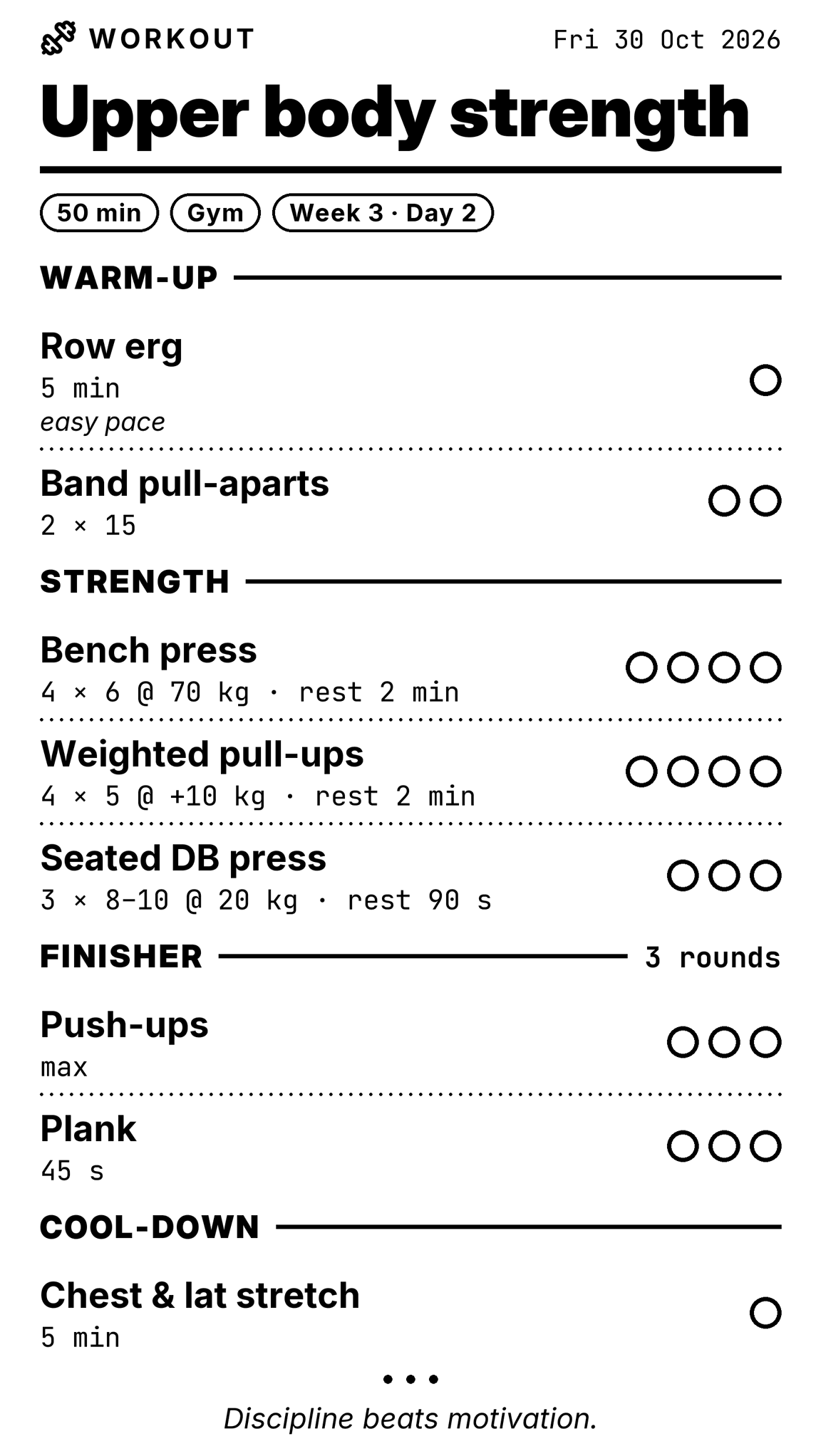
A workout

Sets, reps and a circle to tick for each set.

spooligan workout --example strength
A receipt drawn by Spooligan

#0019 · 80 MM · 576 DOTS

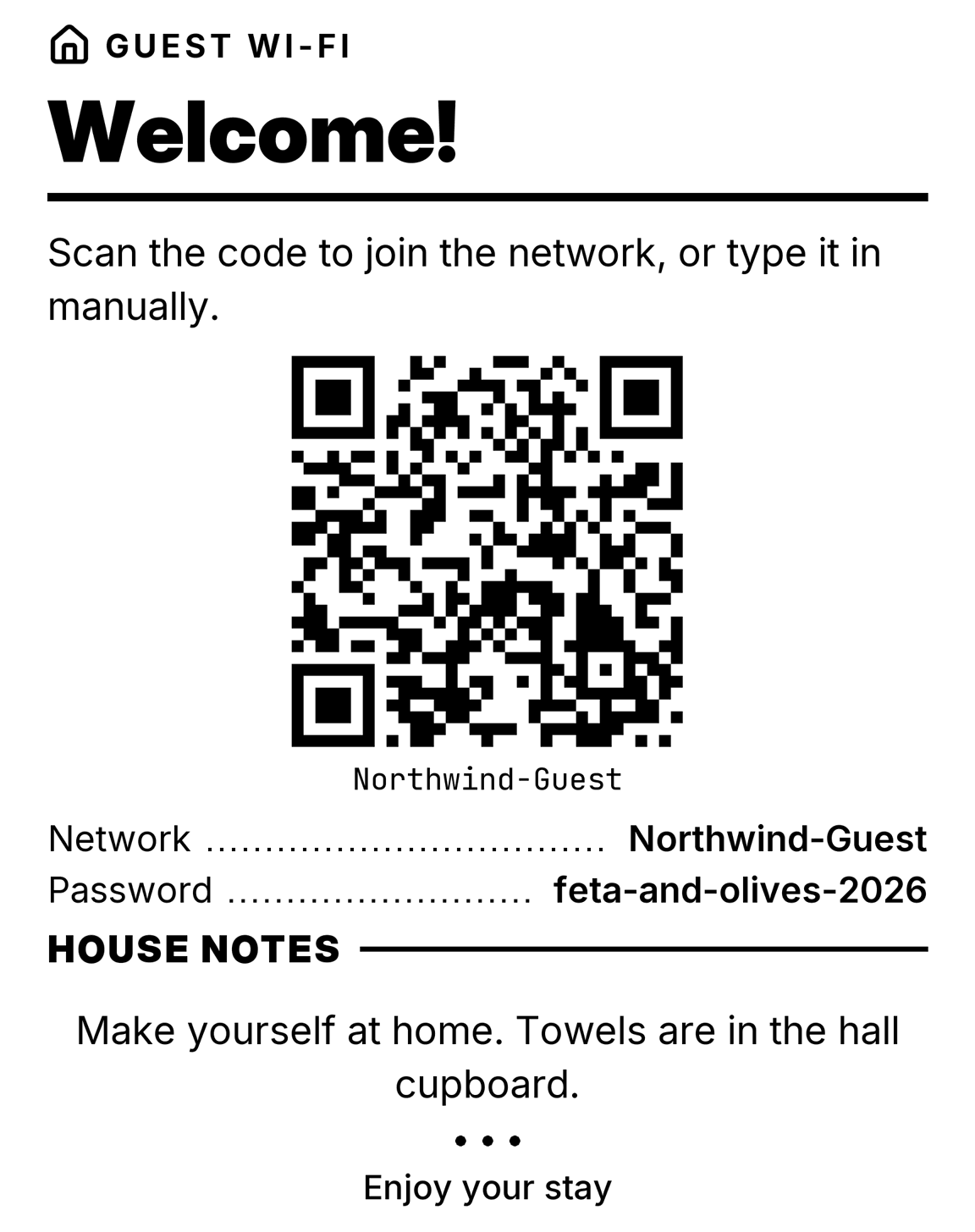
A Wi-Fi card for guests

A QR code that joins the network, with house notes for your guests.

spooligan doc --example wifi
A receipt drawn by Spooligan
45 cm long · tap to see it all

#0020 · 80 MM · 576 DOTS

A banner

Huge sideways letters along the paper, for a party.

spooligan banner "Happy birthday!" ornament=heart

Studio · no printer needed

Design a receipt in your browser

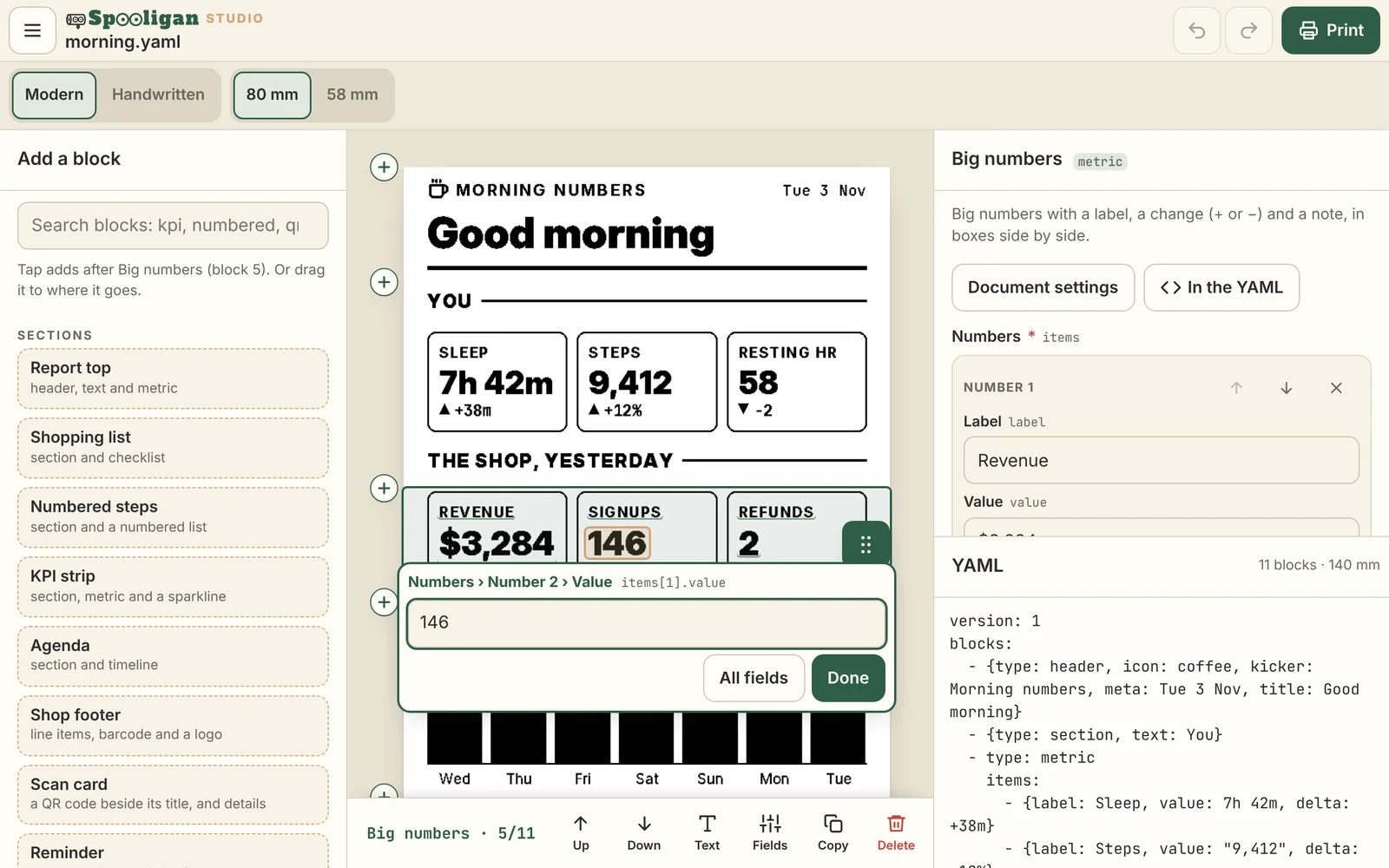
Run spooligan studio and a receipt designer opens in your browser. Click any text on the receipt to change it, add blocks from the palette, and watch the real receipt redraw as you type. Then print it, or save it.

  • A live preview that is the receipt itself, dot for dot, not a lookalike.
  • Every field by name, and the YAML beside it, changing both ways.
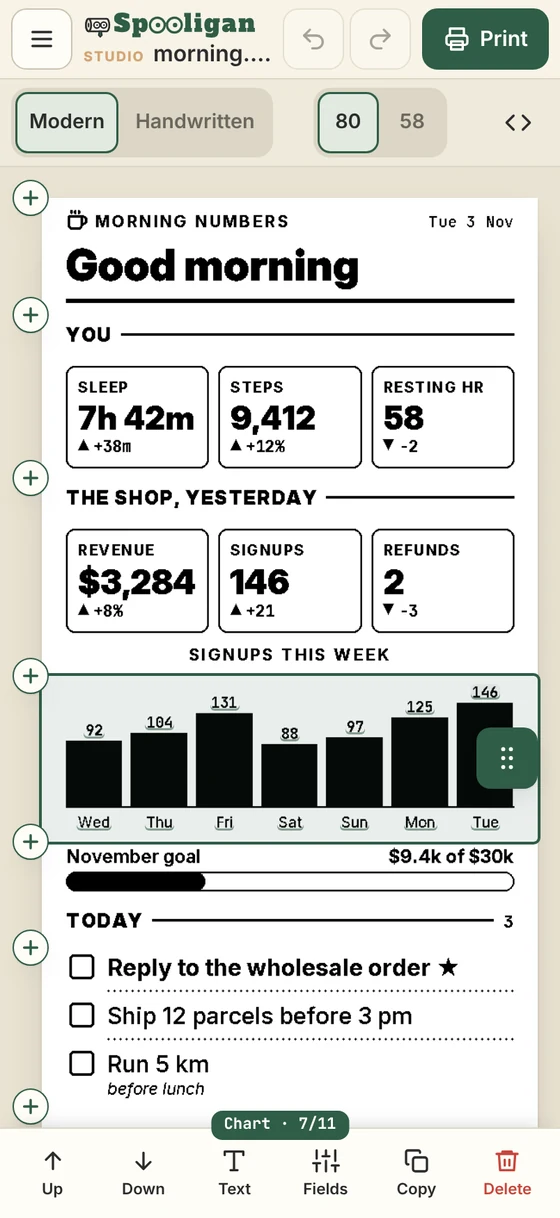
  • Edit from your phone: add --lan and open the link on the same Wi-Fi.
  • No printer yet? Save the YAML, download a picture, or keep it as a template.

Three ways to start

spooligan studiospooligan studio day.yamlspooligan studio --lan

It runs on your computer, and nothing goes online. More in the docs. With --lan, anyone on the network with the link can edit and print, so use it on a network you trust.

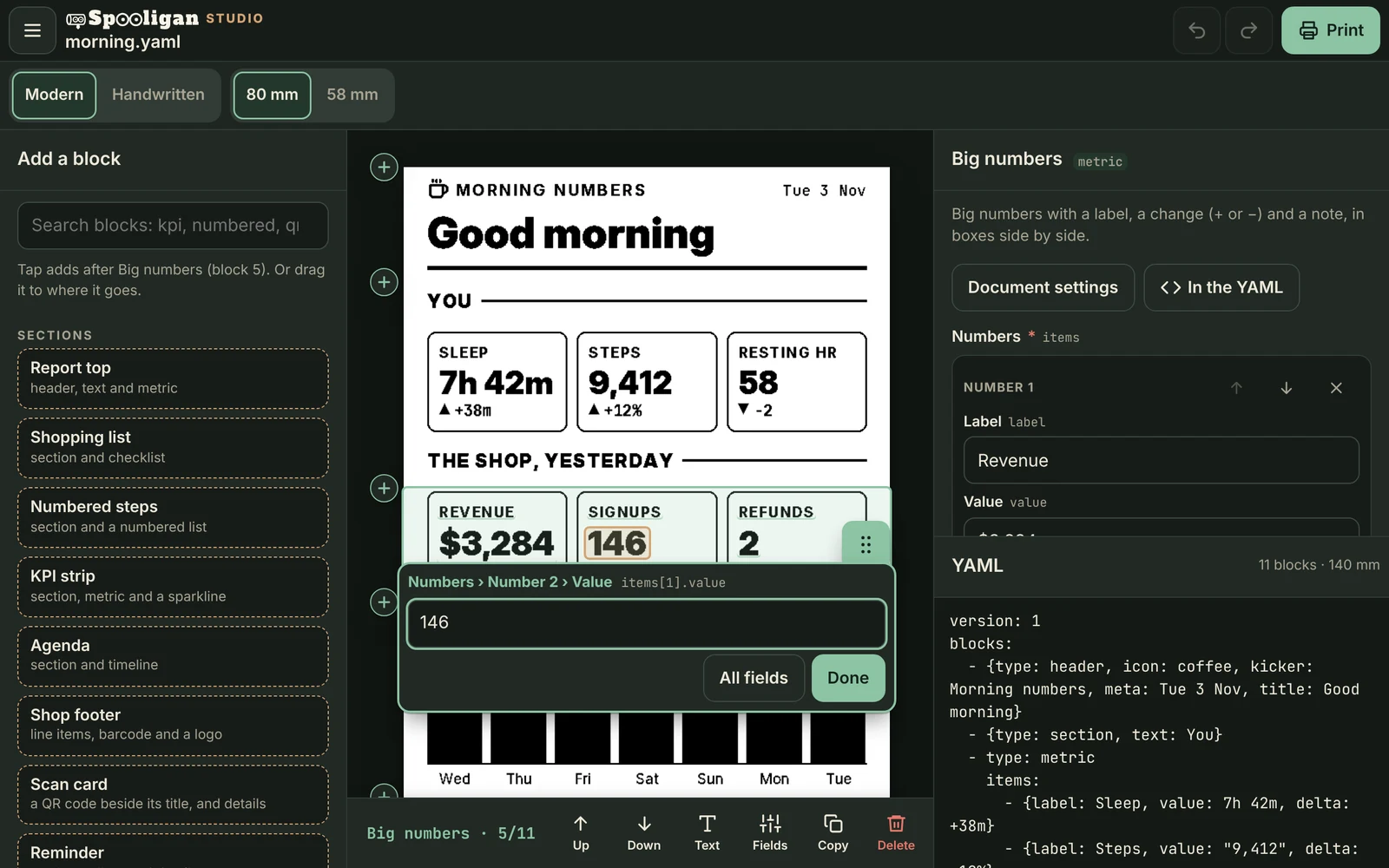
The studio on a desktop: the palette of blocks, the morning receipt with its Signups number being edited in place, and the block's fields and YAML The studio on a desktop, in dark mode: the palette of blocks, the morning receipt with its Signups number being edited in place, and the block's fields and YAML
The studio on a phone, with the receipt's chart picked and buttons to move, edit or copy it The studio on a phone, in dark mode, with the receipt's chart picked and buttons to move, edit or copy it

Start from one of these


A receipt drawn by Spooligan

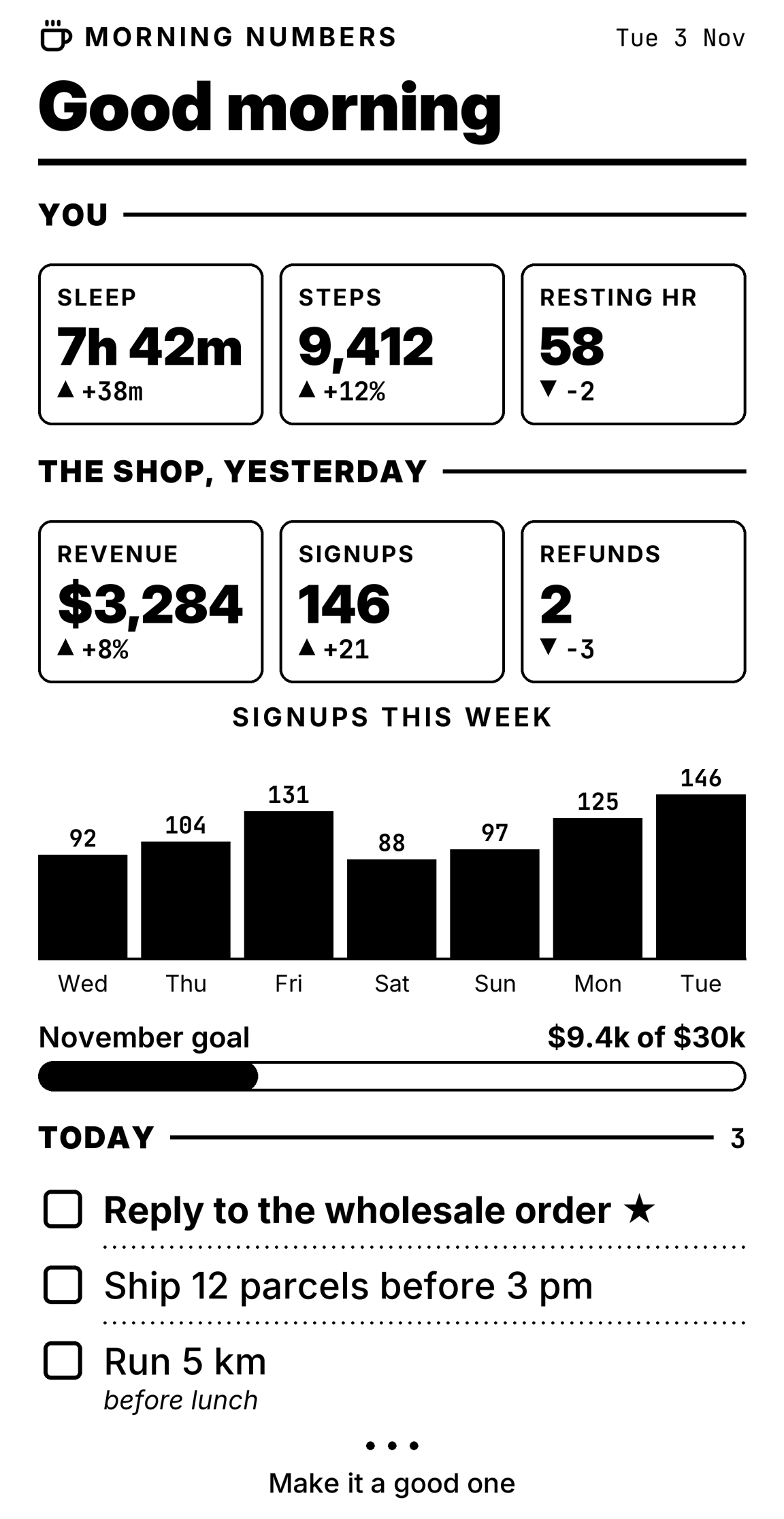
Morning numbers

Last night's sleep, yesterday's sales, the week's signups and today's three jobs, on one slip with your coffee.

Download it, then open it in the studio

spooligan studio morning.yaml
morning.yaml
version: 1blocks:  - {type: header, icon: coffee, kicker: Morning numbers, meta: Tue 3 Nov, title: Good morning}  - {type: section, text: You}  - type: metric    items:      - {label: Sleep, value: 7h 42m, delta: +38m}      - {label: Steps, value: "9,412", delta: +12%}      - {label: Resting HR, value: "58", delta: −2}  - {type: section, text: "The shop, yesterday"}  - type: metric    items:      - {label: Revenue, value: "$3,284", delta: +8%}      - {label: Signups, value: "146", delta: +21}      - {label: Refunds, value: "2", delta: −3}  - {type: kicker, text: Signups this week, style: plain}  - type: chart    kind: columns    height: 120    data:      - {label: Wed, value: 92}      - {label: Thu, value: 104}      - {label: Fri, value: 131}      - {label: Sat, value: 88}      - {label: Sun, value: 97}      - {label: Mon, value: 125}      - {label: Tue, value: 146}  - {type: progress, label: November goal, value: 31, text: "$9.4k of $30k"}  - {type: section, text: Today, count: auto}  - type: checklist    items:      - {text: Reply to the wholesale order, priority: true}      - {text: Ship 12 parcels before 3 pm}      - {text: Run 5 km, note: before lunch}  - {type: end, text: Make it a good one}
A receipt drawn by Spooligan

Week in review

Runs, sleep and wins from the week, with a short plan for the next one.

Download it, then open it in the studio

spooligan studio week.yaml
week.yaml
version: 1blocks:  - {type: header, icon: activity, kicker: Week 45, meta: 2–8 Nov, title: Week in review}  - type: metric    items:      - {label: Runs, value: "4", delta: +1}      - {label: Km, value: "31.5", delta: +6.2}      - {label: Deep work, value: 18h, delta: +3h}  - {type: kicker, text: Hours of sleep, style: plain}  - type: chart    kind: columns    height: 110    data:      - {label: Mon, value: 7.2}      - {label: Tue, value: 6.8}      - {label: Wed, value: 7.9}      - {label: Thu, value: 6.1}      - {label: Fri, value: 7.4}      - {label: Sat, value: 8.6}      - {label: Sun, value: 8.1}  - {type: progress, label: Read 4 books this month, value: 2, max: 4, text: 2 of 4, style: segments, segments: 4}  - {type: section, text: Wins}  - {type: list, items: [Finished the first draft, Fixed the bike, Called Grandma on Sunday]}  - {type: section, text: Next week}  - {type: list, marker: number, items: [Send the draft to two readers, Book the dentist, Long run on Saturday]}  - {type: quote, text: Done is better than perfect.}
A receipt drawn by Spooligan

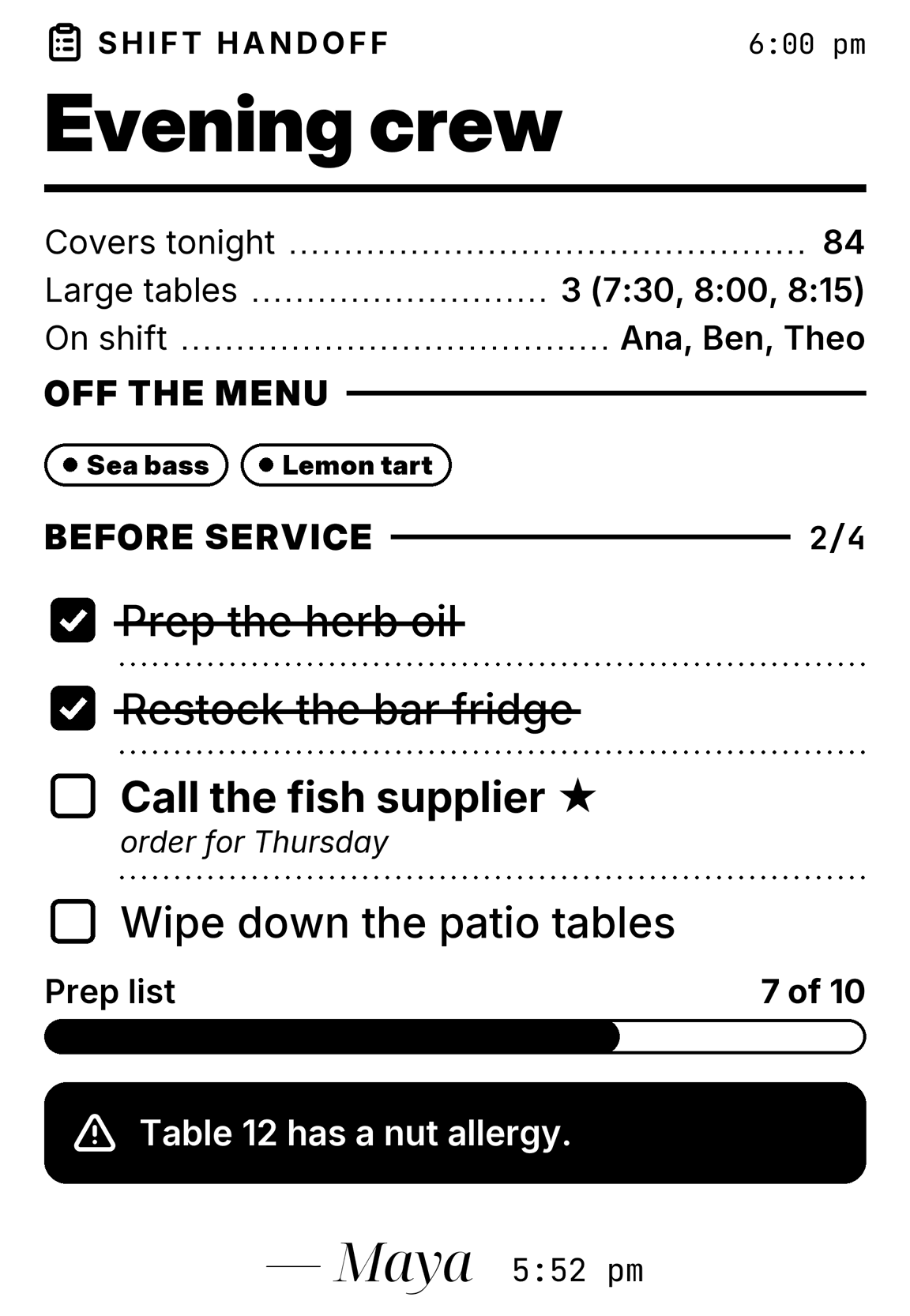
Shift handoff

What the next crew needs to know, with the jobs still open and the one thing not to miss.

Download it, then open it in the studio

spooligan studio shift.yaml
shift.yaml
version: 1blocks:  - {type: header, icon: clipboard-list, kicker: Shift handoff, meta: "6:00 pm", title: Evening crew}  - type: kv    rows: {Covers tonight: "84", Large tables: "3 (7:30, 8:00, 8:15)", On shift: "Ana, Ben, Theo"}  - {type: section, text: Off the menu}  - {type: chips, items: [Sea bass, Lemon tart], style: inverted}  - {type: section, text: Before service, count: auto}  - type: checklist    items:      - {text: Prep the herb oil, done: true}      - {text: Restock the bar fridge, done: true}      - {text: Call the fish supplier, priority: true, note: order for Thursday}      - {text: Wipe down the patio tables}  - {type: progress, label: Prep list, value: 70, text: 7 of 10}  - {type: callout, tone: alert, text: Table 12 has a nut allergy.}  - {type: signature, name: Maya, time: "5:52 pm"}

PRINTERS NEEDED0

AI agents

Use it with your AI agent

Spooligan has a guide for AI agents built in. An assistant that can run commands on your computer, such as Grok Bot, Claude, ChatGPT or Codex, learns everything with one command, then prints what you ask for: your day, a shopping list from a recipe, a summary of what it did while you were away.

  1. Copy the message for your assistant.
  2. Paste it to your assistant.
  3. Ask for a receipt, and out it comes.

Setting up an agent yourself? The guide it reads is AGENTS.md, the same text as spooligan agents.

tell your agent: print my to-do list

A message for your assistant

Please install Spooligan, the receipt printer tool from https://spooligan.ai. On a Mac, download and open https://spooligan.ai/download/Spooligan.pkg; on Linux, run: curl -fsSL https://spooligan.ai/install.sh | sh Then run "spooligan agents" and read the guide it prints. From now on, when I ask you to print something, print it on my receipt printer with Spooligan. Show me a preview only if I ask for one or you aren't sure how it will come out.

Then try: “Print my agenda for today.” · “Make a shopping list for lasagna.” · “Print a short dumbbell-only upper body workout.”

Getting started

Three steps to your first receipt

Getting started


  1. 01Install

    On a Mac, open the installer. On Linux, run the install command. Either way you get one command, spooligan.

  2. 02Connect your printer

    Plug it in by USB, switch it on and run this. It finds the printer and remembers it.

    spooligan printer setup
  3. 03Print

    Say hello. To see a receipt as a picture first, add -o hello.png.

    spooligan hello

ITEMS3

PAPER JAMS0

Everything else is in the docs: every command, every block and how to write your own templates.

Printers

Works with the printer you already have

  • USB thermal receipt printers that speak ESC/POS, the language almost all of them use. No drivers to install.
  • 80 mm or 58 mm paper: 576 or 384 dots across, and every receipt fits either.
  • Also network, serial and CUPS printers, and files, for when you only want the picture.
  • Tested on the NETUM NT-861 and the SPRT SP-POS895.

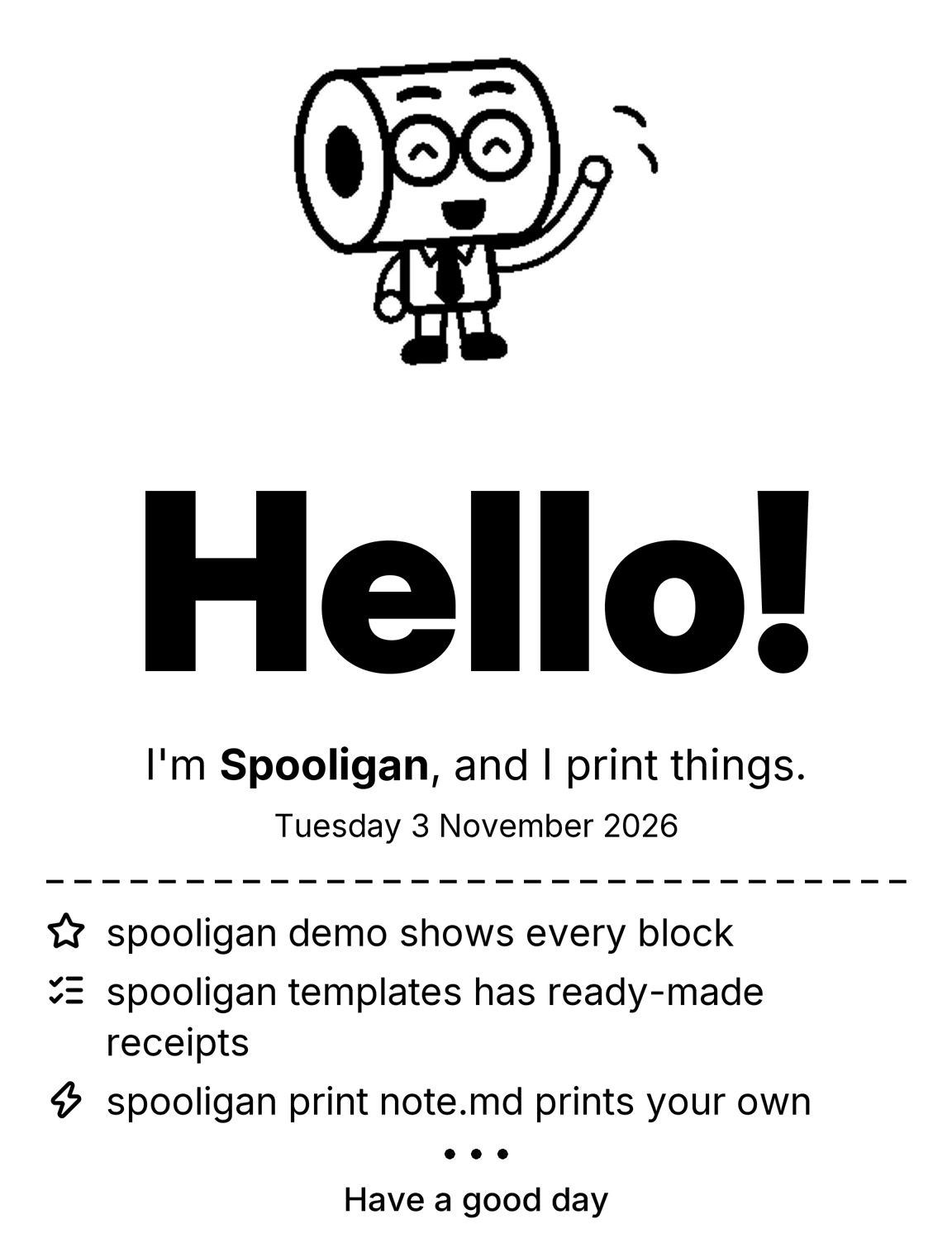
Hello!

The mascot waving, on 58 mm paper
58 MM · 384 DOTS

Hello!

The mascot waving, on 80 mm paper
80 MM · 576 DOTS
A receipt drawn by Spooligan
spooligan hello

Uninstall

Leaving is easy too

Installed with the Mac installer

sudo rm /usr/local/bin/spooligansudo rm -r /usr/local/share/spooligansudo pkgutil --forget ai.spooligan.cli

Installed with the install command

rm "$(command -v spooligan)"

Use sudo if it's in /usr/local/bin. Your settings are in ~/.config/spooligan; delete that folder too to remove everything.

Receipt #0002 · Last call

Ready to print?

One download, one command, and the next receipt on your desk is yours.

On Linux: curl -fsSL https://spooligan.ai/install.sh | sh